
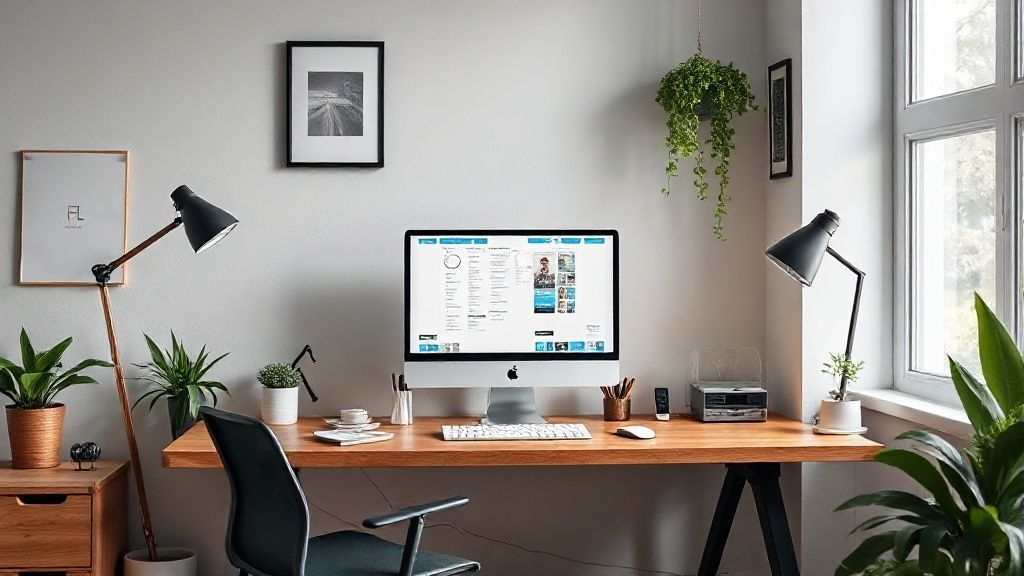
Creating an efficient home office for teleworking
Working on the living room table is fine for 5 minutes. To be productive, you need a dedicated and ergonomic space.
Recommended Materials
- Ergonomic chair (or lumbar cushion)
- Screen riser (or books)
- Desk lamp
- Cable organizer
Steps to follow
Step 1
Strategic location: Ideally, a dedicated closed room. If not possible, choose a quiet corner of the living room or bedroom. Sit with your back to a wall (so no one walks behind you during video calls) and facing or perpendicular to a window (for natural light, but without glare on the screen). Avoid back to the window (dark backlight in video).
Step 2
Ergonomics (Back health): It is crucial for the long term. The top of your screen should be at eye level (use a riser or a stack of books). Your elbows should form a 90° angle on the desk. Your feet should be flat on the floor (or on a footrest). Invest in a good chair or add a lumbar cushion.
Step 3
Minimalism (Empty desk = Clear mind): Keep on the work surface ONLY what you use constantly (computer, mouse, keyboard, notebook, pen, glass of water). Everything else (files, stapler, post-it) must be stored in drawers or boxes in the immediate vicinity.
Step 4
Cable Management: The tangle of electrical wires generates unconscious visual stress. Use sleeves, adhesive clips under the desk or a cable box to hide power strips and hanging wires.
Step 5
Work / Life separation: If your office is in a living room (living room, bedroom), establish an end-of-day ritual. Put your computer in a sleeve, file your papers in a drawer. The office must disappear visually so that your brain understands that the working day is over.
Frequently Asked Questions
What lighting ?
Favor a neutral white bulb (4000K) which promotes concentration. Avoid warm white (yellow) which puts you to sleep or cool white (bluish) which tires the eyes.
Precautions
- Take visual and physical breaks every hour.
- Ventilate the room.