Secure Your Home with Connected Cameras Without Subscription
Monitor your home remotely without paying a monthly fee. Guide to installing modern IP cameras with local storage and smart detection.
Recommended Materials
- Indoor/Outdoor IP Camera
- Micro-SD Card (Class 10)
- Drill (for wall mounting)
- Smartphone
Steps to follow
Step 1
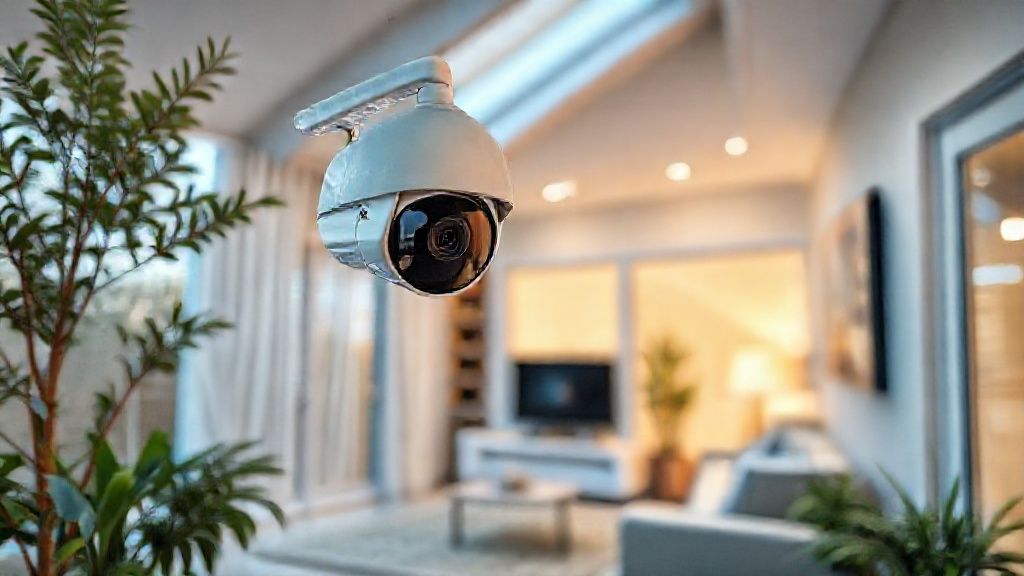
Choose the right type of camera for your needs. For indoors, a motorized camera (PTZ - Pan Tilt Zoom) is ideal as it can rotate to cover an entire room. For outdoors, imperatively prioritize a model certified waterproof (IP65 or IP66) with good night vision (infrared or color thanks to an integrated spotlight).
Step 2
Location is strategic. Place cameras high up (2.5m to 3m) so they are out of reach of an intruder who would want to tear them off. Orient them towards critical entry points (front door, rear bay windows, garage door). Warning: the law strictly forbids filming the public highway or neighbors' property.
Step 3
To avoid expensive cloud subscriptions (often 5 to 10€/month per camera), choose cameras with a Micro-SD card slot (often hidden under a waterproof cover). Videos will be recorded locally on the card. Configure recording 'on motion detection' only, to avoid saturating the card with hours of empty video.
Step 4
Configure smart detection (AI). Modern cameras can differentiate a human, an animal, a vehicle or a package. Enable push notifications only for 'humans' to avoid being alerted unnecessarily when the neighbor's cat passes or a branch moves with the wind.
Step 5
Enable the geofencing function if your app allows it: the camera automatically activates (surveillance mode) when you leave the house (your phone moves away from the GPS zone) and deactivates (private mode) when you return. This protects your privacy and avoids filming you at home.
Step 6
Test two-way audio. It allows hearing what is happening but also speaking via the camera's integrated speaker. It is very useful to deter an intruder ('I saw you, the police are coming!') or to give an instruction to a delivery person.
Frequently Asked Questions
Are battery cameras reliable ?
Yes, they have made huge progress. They are very practical for outdoors without having to pull electrical cables. Autonomy varies from 3 to 6 months depending on the number of detections. Just remember to place them in a place accessible with a ladder to recharge them.
What happens if the camera is stolen ?
If storage is only on the SD card in the camera, you lose the images (this is the weak point). For more security, some cameras allow sending clips simultaneously to an FTP server, a NAS (network hard drive) at your home, or a free cloud (like Dropbox/Google Drive) in addition to the SD card.
Precautions
- Change the camera's default password immediately.
- Respect privacy legislation (do not film the street).